Last updated: October 2026
Key takeaways
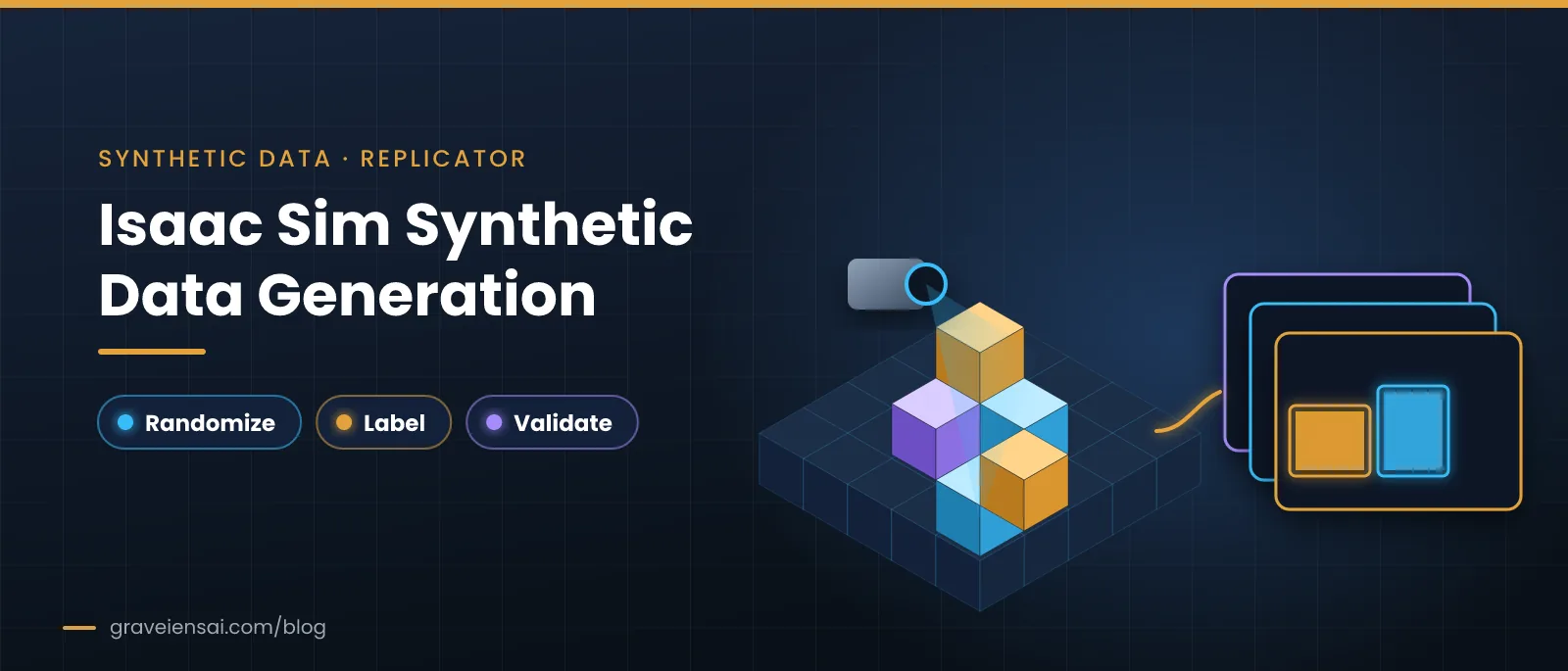
- Isaac Sim synthetic data generation runs through Replicator: you build a USD scene, attach randomizers, choose annotators and let a writer save labeled frames.
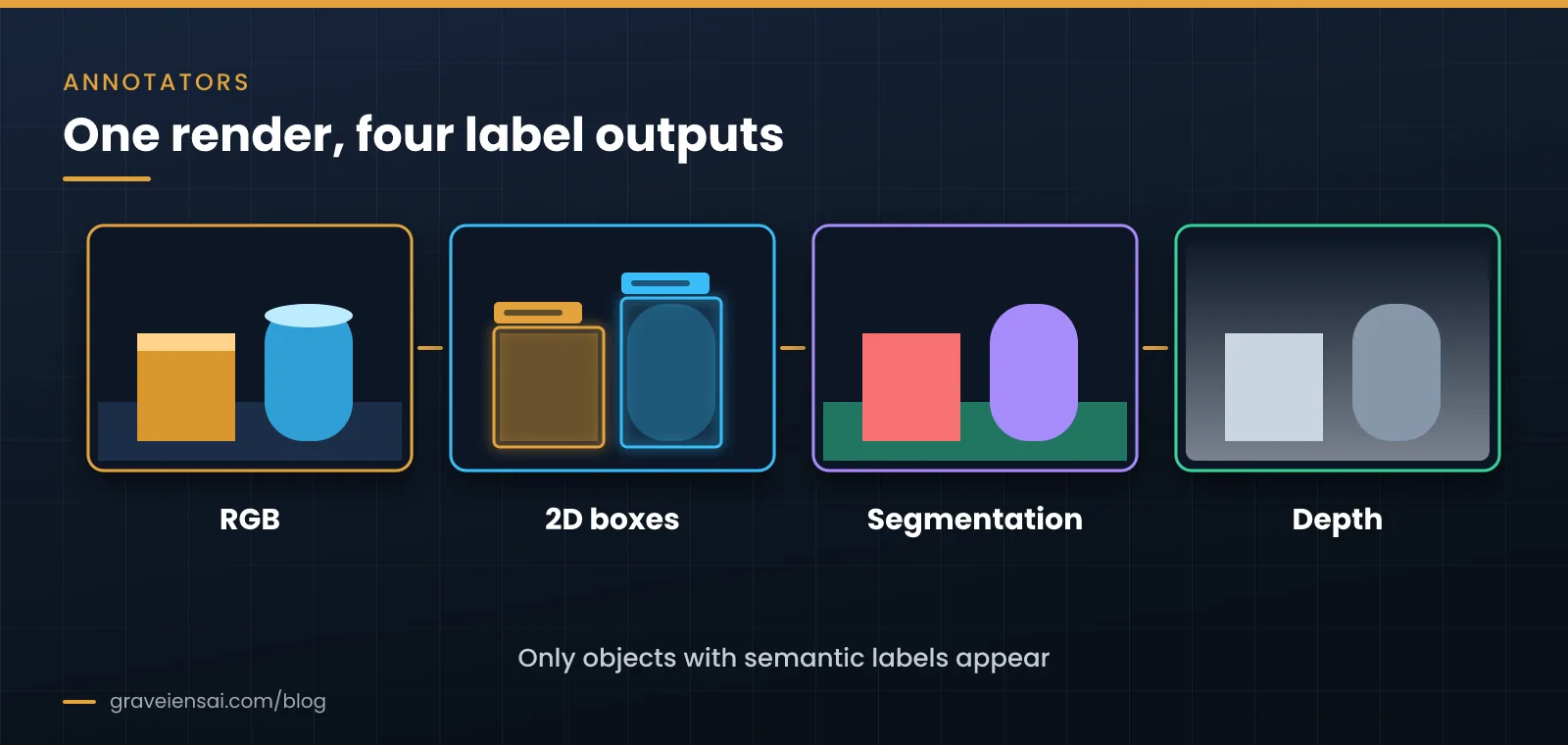
- The labels come free with every frame (boxes, segmentation, depth and more), but only for objects that carry semantic labels in the scene.
- Randomize what varies in your deployment site. Randomizing everything adds noise, not better transfer.
- Pick the output writer before you render, so the dataset loads straight into your training code.
- Hold back a real, labeled test set from day one. It is the only honest measure of whether the synthetic data helps.
Teams adopting NVIDIA Isaac Sim usually understand why simulation helps. The harder part is turning a scene into a dataset that trains. This guide is for perception and robotics engineers planning Isaac Sim synthetic data generation for detection, segmentation or pose models. It walks through the Replicator workflow, the labels you can export, how to write a randomization plan, how to version datasets and how to debug a dataset that does not transfer. For the fundamentals of simulation, domain randomization and the sim-to-real gap, start with our guide to robotics simulation.
Planning a first dataset? Scope a pilot billed only on approved files.
What is Isaac Sim synthetic data generation?
Isaac Sim synthetic data generation is the process of rendering labeled training data from simulated 3D scenes in NVIDIA Isaac Sim. Its Replicator tools randomize scene properties such as lighting, materials, object poses and camera placement, then write images together with ground-truth labels like bounding boxes, segmentation masks and depth, without manual annotation.
Isaac Sim is built on NVIDIA Omniverse and stores scenes in USD (Universal Scene Description), an open 3D format. NVIDIA’s documentation describes Replicator as the framework for scripting scene variation and capturing annotated data; most production teams drive it from Python rather than the GUI, because scripted pipelines are repeatable.
How does the Replicator workflow work?
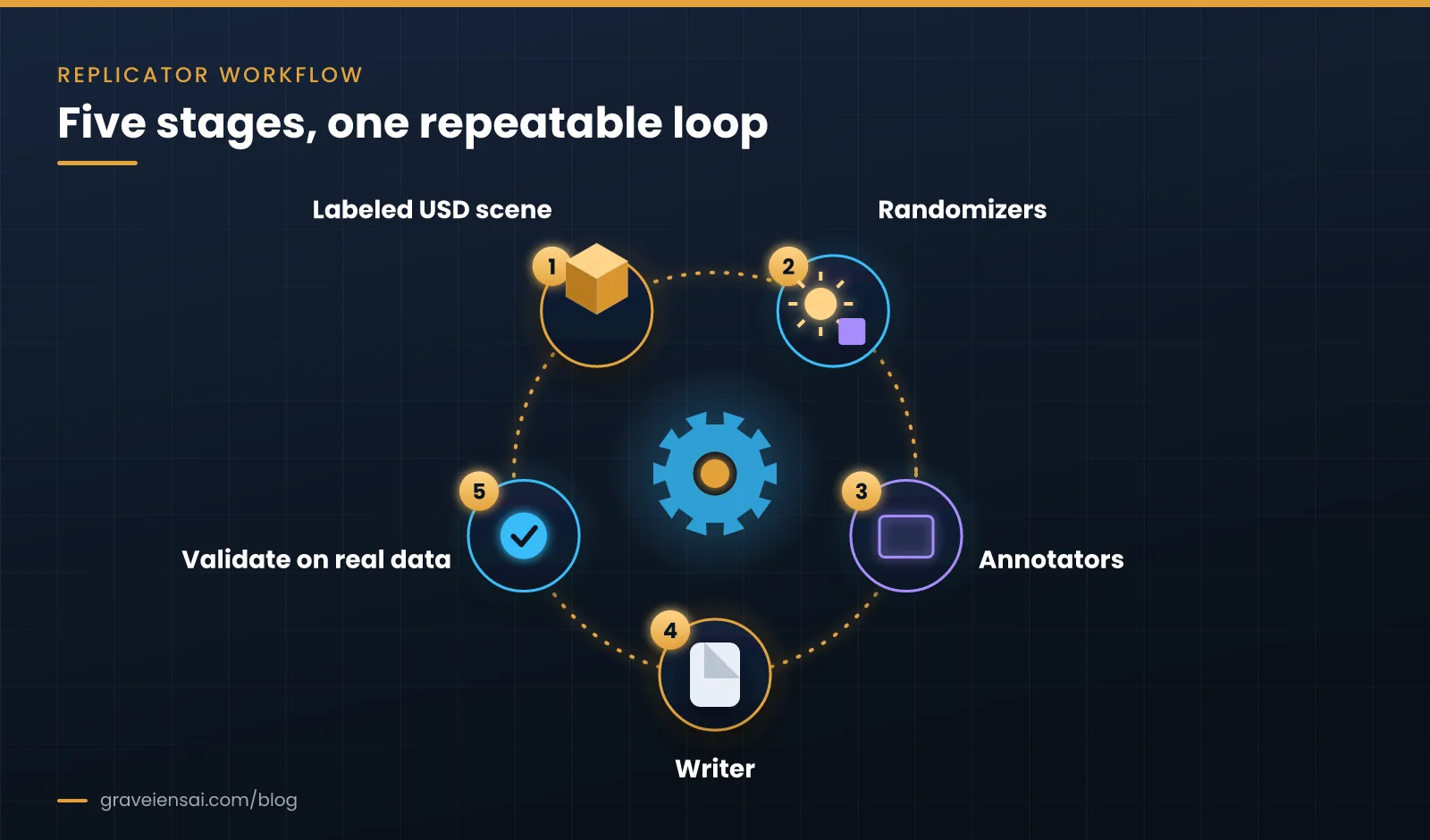
The Replicator workflow has five stages: assemble a labeled USD scene, define randomizers, attach annotators to one or more cameras, choose a writer and output format, then run generation and validate the output against real data. Each stage has its own failure modes, so check each one on a small batch before rendering at scale.
1. Assemble a labeled scene
Start with the environment, the target objects and the camera rig that mirrors your real sensor. SimReady assets (simulation-ready 3D models with physics and material properties) save modeling time. The step teams most often miss is semantic labeling: every object you want in the labels needs a class label in the scene, or the annotators will ignore it.
2. Define randomizers
Randomizers vary the scene for each captured frame: light intensity and direction, textures and materials, object poses and scatter, distractor objects and camera position. Research on domain randomization (Chen et al., ICLR 2022) and the review by Muratore et al. (2022) both treat variation as the main lever for transfer to real conditions. In practice, start with the variation your deployment site actually has, such as shelf clutter or shift lighting, then widen it if validation shows gaps.
3. Attach annotators
Annotators decide which labels are saved with each frame. Choose only the ones your model uses, because every extra annotator adds render time and storage.
| Label type | Typical use | Watch out for |
|---|---|---|
| RGB image | Input for every vision model | Match resolution and field of view to the real camera |
| 2D bounding boxes | Object detection | Tight vs loose boxes for occluded objects |
| 3D bounding boxes / poses | Pose estimation, grasp planning | Coordinate frames must match your training code |
| Semantic and instance segmentation | Segmentation, mask-based grasping | Unlabeled objects become background |
| Depth and surface normals | Depth-aware models, RGB‑D pipelines | Real depth sensors are noisier than perfect sim depth |
4. Choose a writer and output format
Writers save the frames and labels to disk. Isaac Sim ships general-purpose writers and lets you write custom ones. Decide the target format (for example, a KITTI- or COCO-style layout, or your own schema) before you render, and test that your data loader reads a small batch. NVIDIA’s developer blog on Isaac Sim and TAO shows this pattern: generate in Isaac Sim, then train in a separate toolkit that expects a defined format.
5. Generate, then validate on real data
Render a pilot batch, train a quick model and test it on a held-out set of real, hand-labeled images from your deployment site. Compare against a model trained on real data alone and one trained on real plus synthetic. If synthetic data does not move the real-world metric, change the randomization or the scene before rendering more.
How do you write a randomization plan?
A randomization plan lists every parameter you will vary, the range for each and where that range comes from. Base ranges on evidence from the deployment site, such as photos, light readings or shelf layouts, rather than guesses. Write the plan before scripting, so the dataset can be reviewed, reproduced and changed one parameter at a time.
| Parameter | Where the range comes from | Quick check |
|---|---|---|
| Light intensity and color | Site photos at different shifts, or simple light-meter readings | Do darkest and brightest renders look like the real extremes? |
| Object pose and placement | How items actually sit on shelves, tables or conveyors | Are impossible poses (floating, intersecting) filtered out? |
| Materials and textures | Real packaging, surfaces and finishes on site | Are shiny and transparent items represented? |
| Distractors and clutter | Typical non-target items in the real scene | Is clutter density close to the busiest real scenes? |
| Camera position and noise | Real mounting tolerances and sensor specs | Do blur and noise levels match real frames? |
Change one group of parameters at a time when you iterate. If you widen lighting and clutter together and the real-world metric moves, you will not know which change helped.
How much synthetic data should you generate in Isaac Sim?
There is no fixed number. Generate in small batches, measure the effect on a real held-out test set after each one, and stop scaling when the real-world metric stops improving. The useful amount depends on task difficulty, how well the scene matches reality and how much real labeled data you already have.
A practical rhythm is to render a batch, retrain, test on the real held-out set and log the result next to the dataset version. Plot the real-world metric against the number of synthetic frames. When the curve flattens, more frames of the same scene will not help; a better scene, wider or narrower randomization, or more real data probably will.
Rendering more frames is cheap once a pipeline runs, so the temptation is to generate millions. The cost that matters is engineering time spent fixing a scene that does not transfer, which is why validation belongs inside the loop rather than at the end.
Versioning and reproducibility
A synthetic dataset is only useful if you can rebuild it. Treat it like code.
- Fix random seeds. Record the seed for each batch, so a frame can be regenerated exactly.
- Version scenes and assets. Keep USD scenes, asset lists and material libraries under version control, with a tag per dataset release.
- Store the randomization plan with the data. The plan and the generation script belong next to the frames they produced.
- Write a short dataset card. Note scene version, seed range, annotators, writer format, frame count and the real-data test results.
The SCENE pilot check
Before your first full render, score each item from 1 to 5. Anything below 3 is a fix-first item.
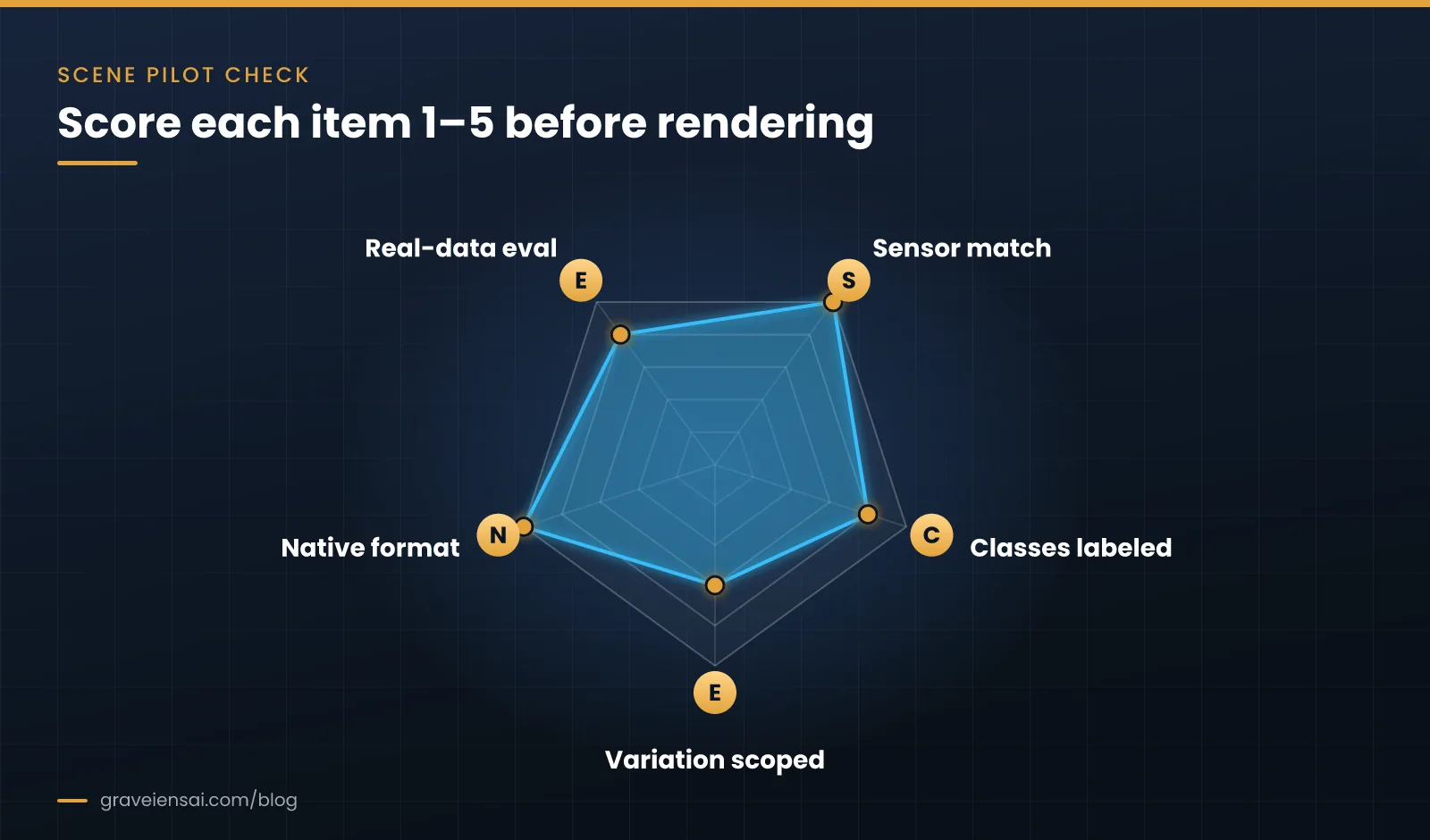
- S: Sensor match. The virtual camera matches the real one in resolution, field of view, mounting and frame rate.
- C: Classes labeled. Every target object carries a semantic label, and distractors are labeled or deliberately left as background.
- E: Environment variation scoped. Randomizers cover the lighting, clutter and materials of the real site, written down as a list.
- N: Native format. The writer outputs the exact format your data loader reads, tested on a small batch.
- E: Evaluation on real data. A real, labeled test set from the deployment site exists and is never used for training.
Want this as a worksheet? Ask us for the Isaac Sim pilot scoping worksheet.
Debugging a synthetic dataset that does not transfer
When a model trained with Isaac Sim data scores well on synthetic test frames but poorly on real ones, look at the errors before changing anything. The pattern of failures usually points to the cause.
| Symptom on real data | Likely cause | First fix |
|---|---|---|
| Misses objects in dim or harsh light | Lighting range too narrow | Widen light randomization using site readings |
| Detects background items as targets | Too few or unrealistic distractors | Add labeled distractors that look like real clutter |
| Boxes offset or wrong size | Camera intrinsics or field of view mismatch | Copy real calibration into the virtual camera |
| Fails on shiny or transparent items | Materials too simple | Add realistic materials and test them alone |
| Depth-based model unstable | Perfect simulated depth | Add sensor noise or mix in real depth frames |
Common mistakes in Isaac Sim synthetic data generation
- Forgetting semantic labels. Objects without labels silently drop out of boxes and masks.
- Sensor mismatch. A virtual camera with a different field of view or resolution teaches the wrong geometry.
- Randomizing the wrong things. Variation that never occurs on site adds noise; missing variation that does occur leaves gaps.
- Perfect depth. Simulated depth has none of the noise of real RGB‑D sensors; add sensor noise or expect a gap.
- No real test set. Validation on synthetic data only measures how well the model learned the simulator.
- Format surprises. Rendering a large batch before testing the loader wastes GPU hours.
For a wider view of where simulation sits next to egocentric video, teleoperation and world-model data, see the physical AI training data guide.
How Graveiens AI approaches Isaac Sim synthetic data generation
Graveiens AI builds simulation and synthetic data pipelines on NVIDIA Isaac Sim and Isaac Lab, MuJoCo and open-source physics engines, so scenes and outputs stay portable to the client’s own stack. The work covers domain-randomized augmentation of footage we have already captured, digital twins of a client’s workspace and validation against real data. We can supply the real side of that validation through consent-backed egocentric video data collection.
This is a newer offering, and we are onboarding a small number of pilot partners to prove the combined real-plus-synthetic workflow before scaling it. Engagements follow our explicit-consent data practices, and clients are invoiced only for approved deliverables. Graveiens AI is ISO 9001 certified.
Frequently asked questions
What is Replicator in Isaac Sim?
Replicator is the set of Omniverse and Isaac Sim tools for synthetic data generation. It lets you script randomization of a scene, attach annotators that produce labels for each frame, and use writers to save images and labels in a chosen format. Most teams drive it from Python so the pipeline can be versioned and rerun.
What labels can Isaac Sim generate?
Common outputs include RGB images, 2D and 3D bounding boxes, semantic and instance segmentation, depth and surface normals, with more available through additional annotators. Labels are only produced for objects that carry semantic labels in the scene, so labeling the scene correctly is the first quality check.
Can Isaac Sim data be used outside NVIDIA tools?
Yes. Scenes use the open USD format, and writers can save data in standard or custom layouts that any training framework can read. Test a small batch with your own data loader before rendering at scale, so coordinate frames, class IDs and file structure match what your code expects.
What hardware does Isaac Sim synthetic data generation need?
Isaac Sim runs on NVIDIA RTX GPUs, and rendering speed scales with GPU capacity and scene complexity. Check NVIDIA’s current system requirements before planning, and budget engineering time for scene building and validation, which is often a larger cost than compute.
Do I still need real data if I generate synthetic data in Isaac Sim?
Yes. At minimum you need a real, labeled test set from the deployment environment to measure transfer. Many teams also mix real training data with synthetic data, using simulation to add variation and rare cases that are hard to capture on site.
How do I make an Isaac Sim dataset reproducible?
Fix and record random seeds, keep scenes and assets under version control, store the randomization plan and generation script with the output, and write a short dataset card. With those four pieces, any frame can be regenerated and any change can be traced.
How long does a first Isaac Sim data pilot take?
It depends on how many assets exist, how close the scene must be to the real site and how quickly real test data can be labeled. Plan the pilot around a small first render, a quick training run and a real-data evaluation, then decide whether to scale.
Scope your Isaac Sim pilot
Send us your target objects, camera spec and deployment environment, and we will help you plan a first Isaac Sim synthetic data generation batch with a real-data validation step. Explore simulation and synthetic data services or book a 20-minute scoping call.
Sources
- NVIDIA. Isaac Sim documentation (Replicator and synthetic data generation). docs.isaacsim.omniverse.nvidia.com
- NVIDIA Developer Blog. “Developing and Deploying AI-Powered Robots with NVIDIA Isaac Sim and NVIDIA TAO.” developer.nvidia.com
- Chen, X. et al. “Understanding Domain Randomization for Sim-to-real Transfer.” ICLR 2022. arxiv.org/abs/2110.03239
- Muratore, F. et al. “Robot Learning From Randomized Simulations: A Review.” Frontiers in Robotics and AI, 2022. frontiersin.org
About the author
Graveiens AI Editorial Team. The team writes from day-to-day work running consent-backed data programs for AI and robotics teams, including simulation, first-person video capture and annotation.

Jitendra Choubay is the CEO & Founder of Graveiens AI, leading a human-in-the-loop data services team that helps AI builders with data collection, annotation, consent-backed voice data, transcription and LLM fine-tuning. He writes on building better, ethically sourced AI training data.
Get the next Graveiens AI article
Expert notes on AI data, annotation, LLMs and eLearning — no spam, unsubscribe anytime.
Need AI Development? Data Annotation? eLearning?
Talk to Graveiens AI about data collection, annotation, voice data, RLHF/SFT, LLM evaluation and AI training data — invoiced only on approved work.
Contact Graveiens AI