Last updated: October 2026
Key takeaways
- Hand pose annotation marks the joints of the hand in each frame, so a model can learn how people shape and move their hands during a task.
- For robot learning, keypoints alone are rarely enough: add contact, grasp type and object state to capture the hand-object interaction.
- Choose 2D keypoints for image-space models and 3D keypoints when the policy needs depth; 3D usually needs calibrated multi-view or depth capture.
- Occlusion is the main quality problem, so write rules for hidden joints before labeling starts.
- Good capture makes labeling cheaper: hands in frame, steady lighting and synchronized cameras reduce rework.
Robots that manipulate objects need to learn from hands. Egocentric and multi-view video shows those hands at work, but a policy can only use what the labels describe. This guide is for robotics and computer vision teams planning hand pose annotation for manipulation, grasping or imitation learning. Most search results on the topic are research papers and public datasets; this guide turns that work into a practical spec. It covers 2D vs 3D keypoints, hand-object interaction labels, label taxonomies by task, tools and formats, QA checks and capture tips that make labeling faster.
Want to see the output first? Request a sample annotated clip set.
What is hand pose annotation?
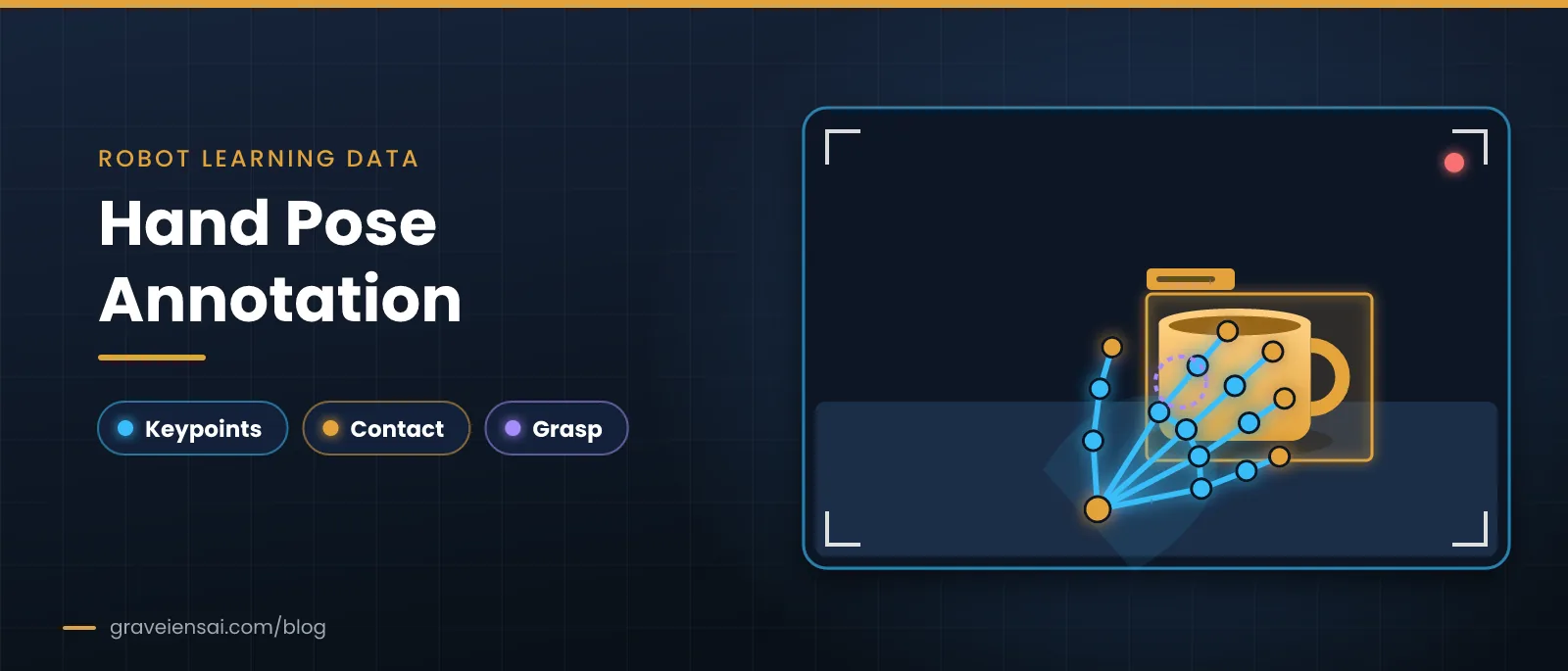
Hand pose annotation is the labeling of hand joint positions, usually the wrist and finger joints, in images or video frames. Each keypoint gets a position and often a visibility flag. For robot learning, teams usually add interaction labels such as contact, grasp type and object state, so the data shows not just where the hand is but what it is doing.
Most projects use a fixed keypoint layout with the wrist plus joints along each finger, commonly 21 points per hand. Keep the same layout, joint order and naming across the whole dataset, because downstream code depends on them.
2D vs 3D hand keypoints: which do you need?
Choose 2D keypoints when your model works in image space, such as hand detection or action recognition from a single camera. Choose 3D keypoints when the policy reasons about depth, reach or grasp geometry. 3D labels usually require calibrated multi-view or depth capture, which raises capture and labeling effort.
| Option | Best for | Capture needs | Effort |
|---|---|---|---|
| 2D keypoints | Detection, tracking, action recognition | Single RGB camera | Lower |
| 2D keypoints + visibility | Egocentric video with frequent occlusion | Single RGB camera | Moderate |
| 3D keypoints | Grasp geometry, retargeting to robot hands | Calibrated multi-view or RGB‑D | Higher |
| 3D keypoints + object pose | Hand-object reconstruction, handover | Multi-view or RGB‑D plus object models | Highest |
Multi-view capture also helps labeling itself. Simon et al. showed that detections from several views can be triangulated in 3D and reprojected to create better labels for occluded joints, an approach they called multiview bootstrapping.
Which hand-object interaction labels matter for robot learning?
The hand-object labels that matter most for robot learning are contact (which hand touches which object, and when), grasp type, the object’s identity and state, and action segments with start and end times. Together they turn hand motion into a description of the task that a manipulation policy can learn from.
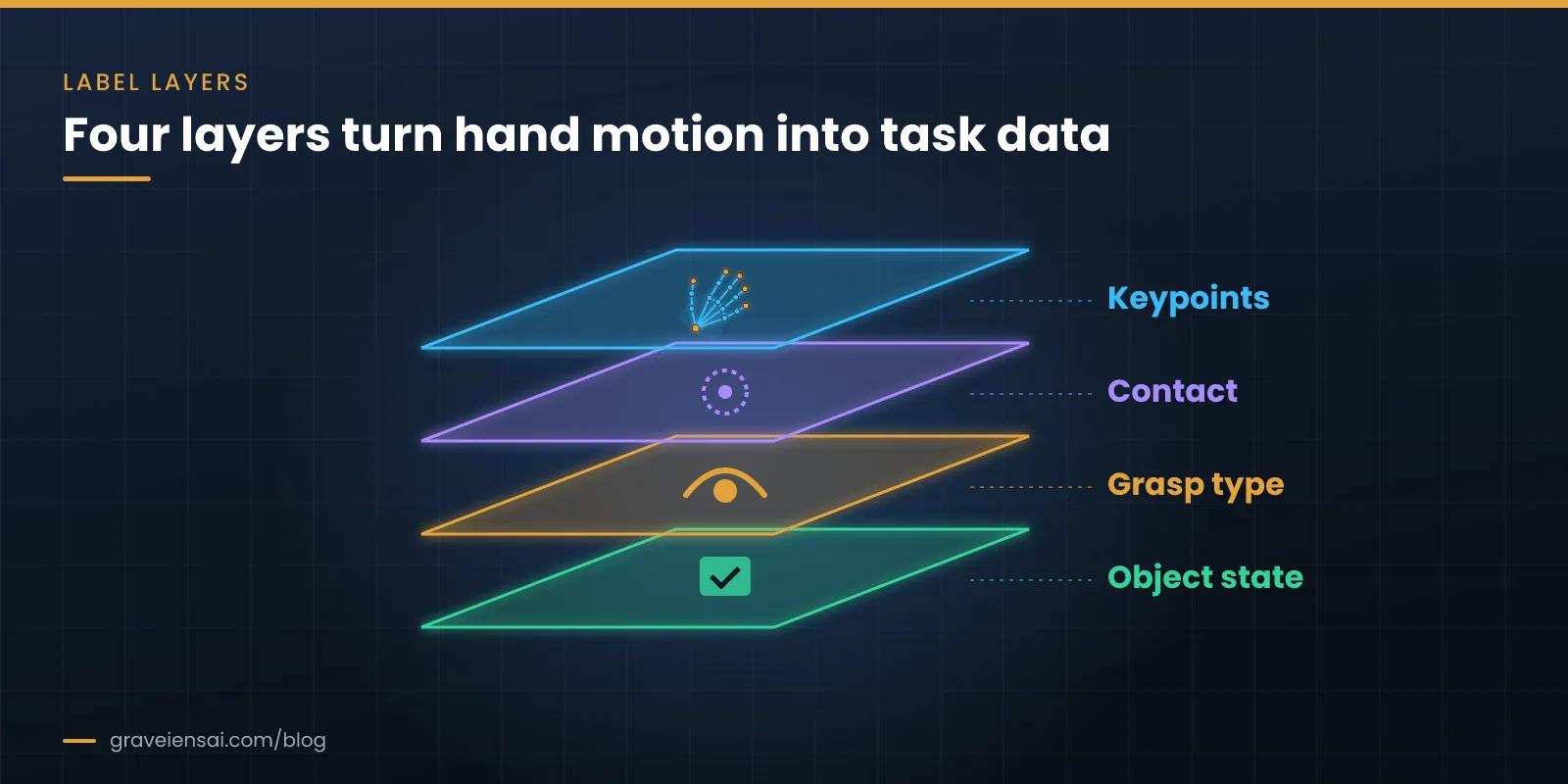
- Contact. Per-frame or per-segment flags for hand-object contact, ideally per hand.
- Grasp type. A short, fixed list (for example power, precision, pinch) that your team can apply consistently.
- Object identity and state. Which object, and whether it is open, closed, full, empty, cut or assembled.
- Action segments. Start and end times for steps such as reach, grasp, move, place and release.
- Object pose (optional). 6D pose when the policy needs exact geometry.
Public datasets show how these layers combine. DexYCB benchmarks 2D keypoint detection, 6D object pose and 3D hand pose for hands grasping objects, and adds a human-to-robot handover task. HOI4D provides egocentric RGB‑D sequences with frame-wise 3D hand pose, object pose, segmentation and hand action labels. Public data is a good reference; commercial robots usually need custom capture of their own tasks and settings.
Label taxonomy examples by robot task
A taxonomy should be small enough to label consistently and specific enough to teach the task. The examples below show how the same four layers change with the job the robot will do.
| Task family | Grasp types to use | Object states to track | Action segments |
|---|---|---|---|
| Kitchen preparation | Power, precision, pinch, tool grip | Whole, cut, peeled, open, closed | Reach, grasp, cut, transfer, release |
| Small-part assembly | Pinch, tripod, precision | Loose, inserted, fastened | Pick, align, insert, fasten, inspect |
| Warehouse picking | Power, wrap, two-hand lift | On shelf, in hand, in tote | Reach, grasp, lift, place, release |
| Household tidying | Power, pinch, flat-hand push | Folded, unfolded, open, closed | Pick, fold, push, place, close |
Start with the smallest list that covers your target tasks, and add a label only when the pilot shows annotators need it. Every new class adds training time for annotators and disagreement in QA.
The GRIP label spec
Write a one-page spec before labeling. We use four headings, GRIP, to keep it short and complete.
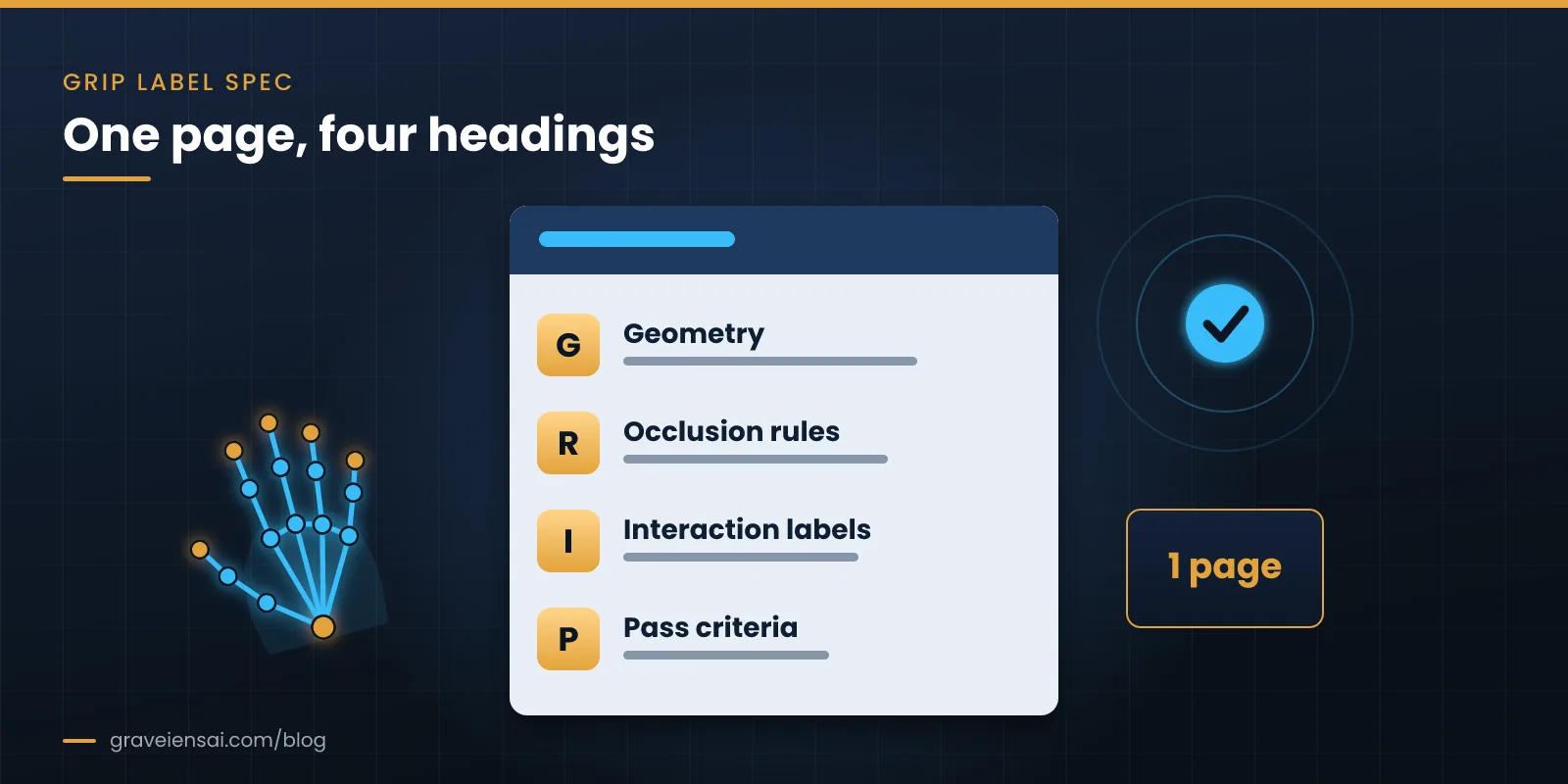
- G: Geometry. Keypoint layout, joint order, 2D or 3D, coordinate frames and units.
- R: Rules for occlusion. How to label joints that are hidden, out of frame or blurred: estimate, mark as not visible, or skip.
- I: Interaction labels. Contact, grasp types, object states and action segments, with definitions and examples.
- P: Pass criteria. QA thresholds, sampling rate for review and what triggers rework.
Need a starting template? Ask us for the hand-label spec template our team uses on scoping calls.
Which tools and formats are used for hand pose annotation?
Hand pose annotation is done in keypoint labeling tools that support skeleton templates, video interpolation and, for 3D work, multi-view or point-cloud views. Output is usually COCO-style JSON keypoints with visibility flags for 2D, and per-frame 3D joint coordinates or hand-model parameters for 3D. Agree the format with your training code before labeling.
- Skeleton templates. The tool should enforce the joint order and connections from your spec, so annotators cannot swap fingers.
- Interpolation and tracking. Labeling keyframes and interpolating between them saves time on slow motion; fast finger motion still needs dense frames.
- Multi-view support. For 3D, annotators should see synchronized views side by side, with reprojected points to check consistency.
- Attribute fields. Contact, grasp type and object state should be fields on the same timeline, not a separate project.
- Export. Test a small export in your data loader first: joint order, image coordinates vs normalized values, and frame indexing.
How does a hand pose annotation project run?
A hand pose annotation project runs in five steps: write the label spec, label a pilot batch, calibrate annotators against gold examples, label at scale with layered review, then deliver in your training format with a QA report. Most rework comes from vague occlusion rules, so test them on hard clips during the pilot.
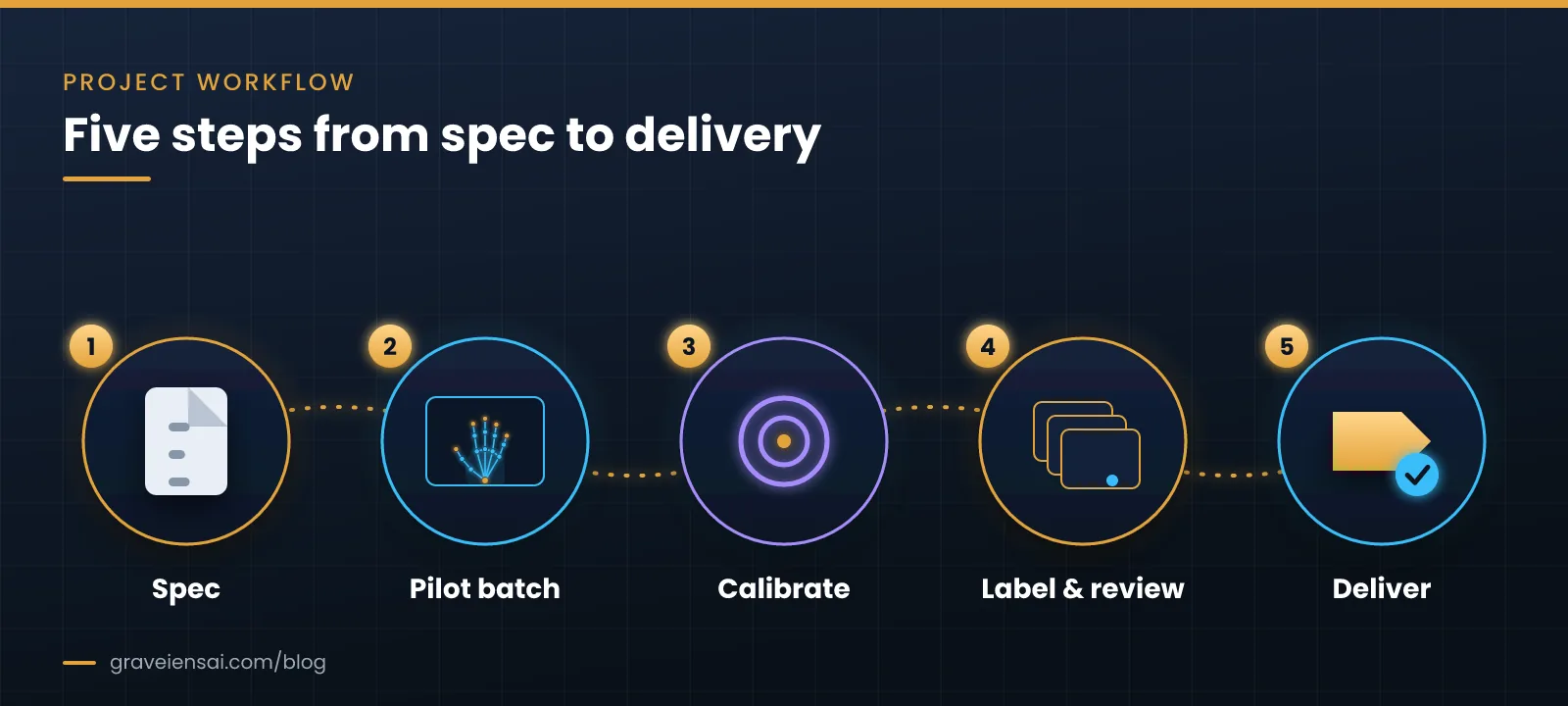
- Spec. Agree the GRIP spec and the delivery format.
- Pilot batch. Label a small set that includes hard cases: occlusion, fast motion, both hands busy.
- Calibrate. Build gold clips, measure agreement between annotators and tighten the guidelines.
- Label and review. Label at scale with a reviewer pass and spot audits by a lead.
- Deliver. Export keypoints and interaction labels in your schema (for example, COCO-style JSON keypoints or a custom per-frame format) with a QA summary.
Bimanual and multi-person scenes
Two hands working together, or two people in frame, create their own labeling problems. Fix a left/right convention from the camera wearer’s point of view, give each hand a persistent track ID, and decide in the spec whether hands that do not belong to the camera wearer are labeled, skipped or blurred. Record the rule in the GRIP spec so every annotator applies it the same way.
How do you measure hand pose annotation quality?
Measure hand pose annotation quality by comparing labels with gold examples and with a second annotator: keypoint distance error in pixels or millimeters, agreement on visibility flags, and agreement on contact, grasp type and segment boundaries. Track results per annotator and per clip type, so hard cases such as occlusion get their own threshold.
- Keypoint error. Mean distance between labeled and gold keypoints, reported per joint.
- Visibility agreement. Whether annotators agree on which joints are hidden.
- Interaction agreement. Agreement on contact flags, grasp types and segment start and end times.
- Temporal smoothness. Jumps between frames that a real hand could not make usually signal errors.
How much hand pose data does a robot learning project need?
There is no standard number of labeled frames. The amount depends on how many tasks, objects and settings the policy must cover, whether labels are 2D or 3D, and how much public data you can reuse for pretraining. Plan in stages: a pilot batch to settle the spec, a first training set sized to show whether the labels help, then growth driven by measured gaps.
Coverage usually matters more than raw volume. A few thousand frames spread across many hands, objects, lighting conditions and camera angles tend to teach more than many more frames from one participant at one table. Track coverage in metadata (task, object, setting, participant and camera) so you can see where the next batch should go, and keep a fixed test set that is never used for training.
Capture tips that make hand labeling easier
- Keep hands in frame. Set head-mounted camera angle and height so both hands stay visible during the task.
- Light the work area. Low light causes motion blur on fingers, the hardest joints to label.
- Use a higher frame rate for fast tasks. Fast finger motion between frames makes interpolation unreliable.
- Calibrate and sync cameras. 3D labels depend on intrinsics, extrinsics and a shared clock.
- Script the tasks. Clear task steps make action segments and contact labels easier to define.
For rigs, calibration files and consent, see our guide to choosing an egocentric data collection vendor. For other label types such as boxes and tracking, see our video annotation guide, and for where hand data fits in a robot data mix, our humanoid robot training data guide.
How Graveiens AI approaches hand pose annotation
Graveiens AI’s data annotation team labels hand keypoints, contact, grasp types, object states and action segments to the client’s spec, with layered review and QA against agreed pass criteria. When a program also needs footage, we capture it through consent-backed egocentric video data collection and keep capture and labeling under one QA process.
Every program follows our explicit-consent workflow (participant onboarding, capture management, metadata tagging, QA), and clients are invoiced only for approved deliverables. Graveiens AI is ISO 9001 certified.
Frequently asked questions
What is the difference between hand pose annotation and hand tracking?
Hand pose annotation is the human labeling of joint positions in frames to create training and test data. Hand tracking is what a trained model or device does at run time, estimating those positions automatically. Annotated data is used to train and evaluate trackers, and to check tracker output before it is used as labels.
How many keypoints are used for a hand?
Most projects use a layout with the wrist plus several joints along each finger, often 21 points in total. What matters most is consistency: keep the same layout, joint order and names across the dataset, and document them in the label spec.
Can hand pose be annotated in egocentric video?
Yes. Egocentric video shows hands close up during real tasks, which suits manipulation research, but hands often leave the frame or hide each other. Clear occlusion rules, visibility flags and a camera angle that keeps both hands in view make egocentric hand labeling far more reliable.
Do I need 3D hand keypoints for robot learning?
Not always. Many policies learn from 2D keypoints plus contact and action labels. 3D keypoints help when the robot must match grasp geometry or retarget human motion to a robot hand, and they usually need calibrated multi-view or depth capture.
What is a hand-object interaction dataset?
A hand-object interaction dataset pairs hand pose with labels about the objects being handled: contact, grasp type, object identity, state and sometimes 6D object pose. Public examples include DexYCB and HOI4D; commercial teams often commission custom data for their own tasks and settings.
Can AI pre-labels speed up hand pose annotation?
Yes, a model can propose keypoints for annotators to correct, which often speeds up easy frames. Pre-labels are weakest on occluded or fast-moving fingers, so keep full human review there and measure quality against gold clips rather than trusting model output.
Which file format should hand pose labels be delivered in?
For 2D work, COCO-style JSON keypoints with visibility flags are common because many training tools read them. For 3D work, per-frame joint coordinates with camera parameters, or hand-model parameters, are typical. Test a small export with your own data loader before labeling at scale.
Scope your hand annotation pilot
Send us a few sample clips and your target labels, and we will return a spec and a pilot plan. Explore data annotation services or scope a pilot billed only on approved files.
Sources
- Simon, T., Joo, H., Matthews, I., Sheikh, Y. “Hand Keypoint Detection in Single Images using Multiview Bootstrapping.” arXiv:1704.07809. arxiv.org/abs/1704.07809
- Chao, Y.-W. et al. “DexYCB: A Benchmark for Capturing Hand Grasping of Objects.” arXiv:2104.04631. arxiv.org/abs/2104.04631
- Liu, Y. et al. “HOI4D: A 4D Egocentric Dataset for Category-Level Human-Object Interaction.” arXiv:2203.01577. arxiv.org/abs/2203.01577
About the author
Graveiens AI Editorial Team. The team writes from day-to-day work running consent-backed data programs for AI and robotics teams, including first-person video capture, hand and action annotation, and multilingual voice data.

Jitendra Choubay is the CEO & Founder of Graveiens AI, leading a human-in-the-loop data services team that helps AI builders with data collection, annotation, consent-backed voice data, transcription and LLM fine-tuning. He writes on building better, ethically sourced AI training data.
Get the next Graveiens AI article
Expert notes on AI data, annotation, LLMs and eLearning — no spam, unsubscribe anytime.
Need AI Development? Data Annotation? eLearning?
Talk to Graveiens AI about data collection, annotation, voice data, RLHF/SFT, LLM evaluation and AI training data — invoiced only on approved work.
Contact Graveiens AI