AI transcription is the automatic conversion of spoken audio into written text using speech-recognition models, without a human typing every word. It turns recordings, calls, meetings, and videos into searchable, editable transcripts in minutes, at a fraction of the cost of manual typing.
If you have ever used automatic captions or a voice note that turned into text, you have used automatic transcription. This guide explains how it works, how accurate it really is, what transcription services cost, and where transcription fits across legal, medical, and everyday use, plus when a human still matters.
AI transcription at a glance
| Question | Short answer |
|---|---|
| What is AI transcription? | Software that converts speech to text automatically using AI speech-recognition models (also called speech to text). |
| How accurate is it? | Around 95 to 99% on clean audio, dropping to 80 to 90% on noisy recordings. |
| What does it cost? | Roughly $0.05 to $0.25 per minute, versus $0.72 to $1.50 per minute for human transcription. |
| Is it as good as a human? | Close on clean audio; humans still lead on accents, noise, and high-stakes legal or medical work. |
| When should I outsource? | For court transcription, medical, or multilingual work where accuracy and confidentiality are critical. |
What is AI transcription?
AI transcription, also called automatic transcription or automatic speech recognition (ASR), is the use of machine-learning models to convert spoken language into written text. Where a person once listened and typed, a transcription system does the speech-to-text conversion in seconds, producing a draft transcript you can search, edit, and share.
The technology is a branch of natural language processing and speech AI. Modern transcription tools can add timestamps, identify different speakers, insert punctuation, and even translate, turning raw audio to text into a structured document. Popular consumer tools include Otter.ai and OpenAI’s Whisper, while enterprises often use custom pipelines built on voice and speech data.
The appeal is simple: automatic transcription is fast, cheap, and available around the clock. A one-hour recording that would take a human three to four hours to type can be transcribed automatically in minutes. That speed is why automatic transcription now underpins meeting notes, podcast captions, call-centre analytics, and video subtitles. It increasingly runs on video too, from webinars to first-person recordings such as egocentric video from body cameras and smart glasses, where spoken audio must be aligned to what the wearer sees.
| Also read: Curious about the AI models behind these tools? Our explainer on what an LLM is covers the language models that increasingly power transcription and summarisation. |
How AI transcription works
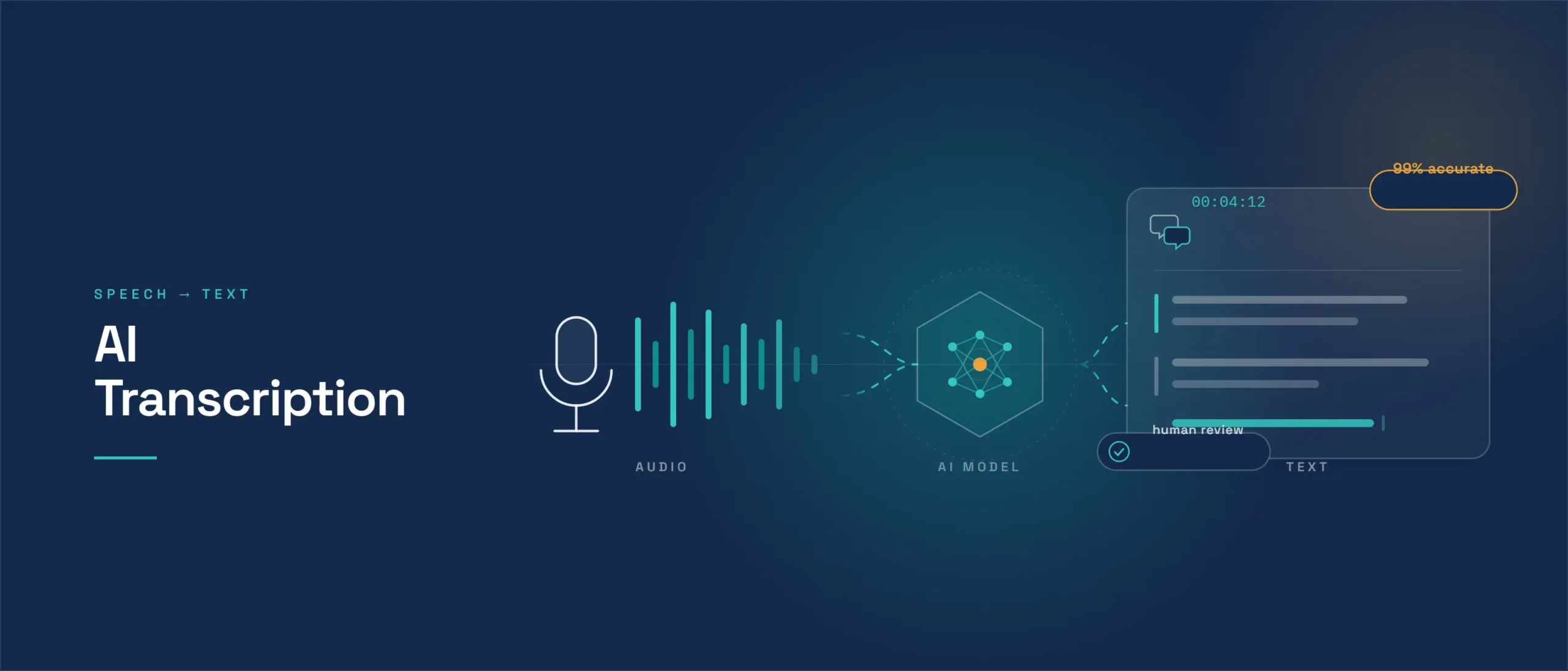
Under the hood, transcription follows a few clear steps. First, the audio is cleaned and split into short segments. Next, an acoustic model maps sound patterns to phonemes and words. Then a language model predicts the most likely word sequence, adding grammar and context so the transcript reads naturally. Finally, punctuation, capitalisation, and speaker labels are applied.
The breakthrough behind today’s quality is deep learning. Models such as Whisper are trained on hundreds of thousands of hours of audio paired with text, which teaches them to handle many accents, topics, and background conditions. The quality of that training data is decisive, which is why careful data annotation and data validation sit behind every accurate speech-to-text system. A transcription model can only be as good as the labelled audio it learned from.
AI transcription accuracy: what to expect
Accuracy is the question everyone asks, so here are the numbers with their sources. Transcription accuracy is measured by Word Error Rate (WER), the percentage of words the system gets wrong. In OpenAI’s own reporting and independent 2026 benchmark comparisons, Whisper scores roughly an 8% WER, and leading commercial engines cluster between about 4% and 8% WER on clean, read-speech test sets, which translates to roughly 95 to 99% accuracy. Treat these as best-case laboratory figures rather than guarantees.
The single biggest factor is audio quality. Clear recordings reach 95 to 99% across all major services, while noisy, overlapping, or heavily accented audio can drop any transcription tool to 80 to 90%. Real-world recordings usually score several points worse than the clean benchmarks the tools advertise. The honest expectation: excellent on clean speech, weaker on messy audio, and still short of a skilled human on the hardest recordings.
For most business uses, that level of transcription accuracy is more than enough. For court, medical, or compliance work, the last few percentage points matter, which is where human review comes back in.
AI vs human transcription
The choice is not really AI or human, but which mix fits the job. Human transcribers still deliver the highest accuracy, consistently 99% or better, because they understand context, accents, and jargon that trip up software. Automatic transcription, by contrast, wins on speed and cost.
| Factor | AI transcription | Human transcription |
|---|---|---|
| Accuracy (clean audio) | 95 to 99% | 99% or better |
| Accuracy (noisy audio) | 80 to 90% | 95% or better |
| Speed | Minutes | Hours to days |
| Cost | $0.05 to $0.25 per minute | $0.72 to $1.50 per minute |
| Best for | Volume, drafts, meetings | Legal, medical, verbatim, accents |
The table simplifies a nuanced reality. Human accuracy is not automatically 99%; it depends on the transcriber’s skill, familiarity with the subject, and the audio itself. Clean AI transcription can beat a rushed human, while a specialist human still wins on heavy accents, overlapping speakers, technical jargon, and true verbatim work where every filler word matters. The right decision is usually per-segment, not per-project.
The smartest teams use a hybrid model: run automatic transcription first for speed and cost, then add human review only where accuracy is critical. This human-in-the-loop approach, backed by a trained transcription workforce, captures most of the savings while protecting quality on the parts that count.
The cost of transcription services
The cost of transcription services is one of the biggest reasons AI has taken off. Pricing is usually per minute of audio, and the gap between automated and manual work is large.
- AI transcription: commonly about $0.05 to $0.25 per minute on managed platforms, while OpenAI’s published Whisper API price is $0.006 per minute for large-scale, self-served use.
- Human transcription: typically around $0.75 to $1.50 per minute in published vendor rates, rising for verbatim, rush turnaround, or specialist legal and medical work.
That is a 5 to 20 times price difference, decisive at scale. There is a catch: pushing accuracy from 95% to 99% with human review costs roughly ten times more per hour of audio, a steep diminishing-returns curve. So the practical way to control the cost of transcription services is to match the method to the stakes, using automatic transcription for the bulk and reserving human effort for the passages that must be perfect. Our banking and finance and enterprise clients use exactly this tiered model to keep costs down without risking accuracy.
Use cases by industry
Automatic transcription shows up in almost every sector, but three areas deserve a closer look.
Court and legal transcription
Court transcription demands near-perfect accuracy, because a single wrong word can change the meaning of testimony. Certified court transcription also has strict formatting rules that a general tool does not follow. AI tools can produce a fast first draft of hearings, depositions, and client calls, but legal teams almost always add human review before anything becomes an official record. Because court transcription and other legal audio often contain sensitive information, confidentiality and a documented chain of custody matter as much as accuracy, and that is where secure transcription services with vetted reviewers earn their place.
Medical transcription
Medical transcription converts clinical dictation, consultations, and procedure notes into records. Accuracy is critical because errors can affect patient safety, so healthcare providers use specialist vocabularies and human review on top of AI. Training the next generation of specialists often involves medical transcription training software that teaches terminology and formatting, and the underlying speech models improve fastest with well-labelled clinical audio, the kind our healthcare data teams help produce.
Business and personal use
For everyday needs, transcription is transformative. You can transcribe voice memos into notes, turn meetings into searchable minutes with speech to text, and caption videos automatically. When you transcribe voice memos or calls, the audio is usually clean and the stakes are low, so automatic transcription alone is often good enough. This is the fastest-growing use of transcription, and it is where free and low-cost tools shine.
When to outsource transcription
Not every team should build transcription in-house. It often makes sense to outsource when volume is high, turnaround is tight, or accuracy and security are non-negotiable. Companies frequently outsource legal transcription and medical transcription precisely because those regulated fields need domain expertise, strict confidentiality, and a quality-assured process that a raw AI tool cannot guarantee alone.
When you outsource legal transcription or any specialist work, look for a partner that combines AI speed with human review, offers multilingual coverage, and can prove its security and quality controls. That blend of audio transcription, language and localization, and expert QA is what separates a dependable provider from a cheap tool, and it is why many organisations outsource legal transcription rather than manage it internally.
Transcription equipment: capturing good audio
Because audio quality drives accuracy, the right transcription equipment pays for itself. You do not need a studio, but a few basics make a large difference: a decent external or lapel microphone, a quiet room, and a recorder or app that captures clear, uncompressed audio. For interviews and meetings, a conference microphone that places every speaker on a separate channel dramatically improves speaker separation.
Good transcription equipment reduces background noise, echo, and overlapping speech, which are the three things that hurt transcription most. In short, investing a little in capture saves a lot in editing, whether you use automatic transcription or a human service.
How to improve transcription accuracy
Most accuracy problems are fixable before you ever edit a transcript. If you want cleaner output from any tool, work through this checklist in order:
1. Record clean audio. A close, external or lapel microphone in a quiet room is the single biggest lever, because audio quality drives accuracy more than the choice of tool.
2. Separate the speakers. Give each speaker their own microphone or channel where possible, so the system does not have to untangle overlapping voices.
3. Use a custom vocabulary. Feed the tool your names, acronyms, product terms, or clinical and legal vocabulary so it stops guessing on the words that matter most.
4. Pick the right model and language. Match the engine to your language, accent, and domain; a general model will underperform on specialised speech.
5. Add targeted human review. Route only the hard or high-stakes passages to a reviewer, which lifts accuracy toward 99% without paying to re-check everything.
6. Improve the model with your own data. For recurring, domain-specific audio, fine-tuning on labelled samples of your real recordings raises accuracy on your terms, where consent-backed voice and speech data and expert data annotation pay off.
Do the first two well and most everyday recordings will land in the 95 to 99% range; add the last four and even difficult, specialised audio becomes reliable.
How to choose transcription software
With dozens of options, choosing transcription software comes down to a few practical criteria:
- Accuracy on your audio: test each tool on your real recordings, not clean demos.
- Languages and accents: confirm support for the languages you actually need.
- Speaker identification and timestamps: essential for interviews and meetings.
- Security and privacy: vital for legal, medical, or confidential audio.
- Integrations and export: does it fit your workflow and formats?
- Cost at your volume: compare the true cost of transcription services at your scale.
For consumer needs, off-the-shelf transcription software is usually enough. For regulated or large-scale work, a managed service that pairs models with human review and strong governance is safer. That is the model behind Graveiens AI transcription: AI speed with expert human review, multilingual coverage, and documented security and quality controls, so you get near-human accuracy at machine scale. And if you are building your own speech models, the differentiator is data, and consent-backed voice and speech data with expert labelling is what lifts accuracy on your specific domain.
| Also read: Building AI features around audio and text? See our guide to what prompt engineering is for getting reliable results from language models. |
Frequently asked questions
Q. What is AI transcription?
A. AI transcription is software that automatically converts spoken audio into written text using speech-recognition models, without a human typing. It is also called automatic transcription or automatic speech recognition, and it powers meeting notes, captions, and voice-to-text tools.
Q. How accurate is AI transcription?
A. AI transcription reaches about 95 to 99% accuracy on clean audio and 80 to 90% on noisy recordings. Accuracy is measured by Word Error Rate, and audio quality is the single biggest factor.
Q. Is AI transcription cheaper than human transcription?
A. Yes. AI transcription costs about $0.05 to $0.25 per minute, while human transcription runs $0.72 to $1.50 per minute, a 5 to 20 times difference. Many teams use AI first and add human review only where accuracy is critical.
Q. Can AI transcribe voice memos?
A. Yes. AI transcription tools can transcribe voice memos into text in seconds. Because voice memos are usually recorded close to the microphone, the audio is clean and automatic transcription is often accurate enough on its own.
Q. Is AI good enough for court transcription?
A. AI is well suited to court transcription drafts and can produce a fast first draft, but a certified court transcription record requires near-perfect accuracy, so human review is standard. Many firms outsource legal transcription to providers that combine AI speed with expert human checking.
Q. What does transcription cost at scale?
A. At scale, the cost of transcription services drops sharply with automation. Self-hosted engines can approach $0.006 per minute, though managed services that add security, languages, and human QA cost more in exchange for reliability.
Q. What equipment improves transcription accuracy?
A. A good external or lapel microphone, a quiet room, and clear, uncompressed recording are the most valuable transcription equipment. For multi-speaker audio, a conference microphone that separates speakers improves accuracy the most.
Conclusion
AI transcription has turned hours of manual typing into minutes of automated speech-to-text, at a fraction of the cost. For clean audio and everyday use, it is fast, cheap, and accurate enough to transcribe voice memos, meetings, and videos on its own. For court transcription, medical records, and other high-stakes work, the smart approach is a hybrid: AI for speed, human review for the accuracy and confidentiality that regulated fields demand. The deeper lesson is that transcription quality, like all speech AI, depends on data: whether you use an off-the-shelf tool or outsource legal transcription to a managed partner, the accuracy you get traces back to the audio data and human expertise behind the model.
| Need reliable, secure transcription at scale?Talk to the Graveiens AI team about AI and human transcription, multilingual coverage, and the voice data behind accurate speech to text. graveiensai.com/contact-us |
Sources: OpenAI, Whisper paper (arXiv 2212.04356); OpenAI API pricing (Whisper, $0.006/min); OpenAI Whisper overview; benchmark comparisons: PlainScribe (2026) and NovaScribe (2026); vendor pricing pages (Rev, GoTranscript, TranscribeMe) for human-rate ranges.

Jitendra Choubay is the CEO & Founder of Graveiens AI, leading a human-in-the-loop data services team that helps AI builders with data collection, annotation, consent-backed voice data, transcription and LLM fine-tuning. He writes on building better, ethically sourced AI training data.
Get the next Graveiens AI article
Expert notes on AI data, annotation, LLMs and eLearning — no spam, unsubscribe anytime.
Need AI Development? Data Annotation? eLearning?
Talk to Graveiens AI about data collection, annotation, voice data, RLHF/SFT, LLM evaluation and AI training data — invoiced only on approved work.
Contact Graveiens AI